
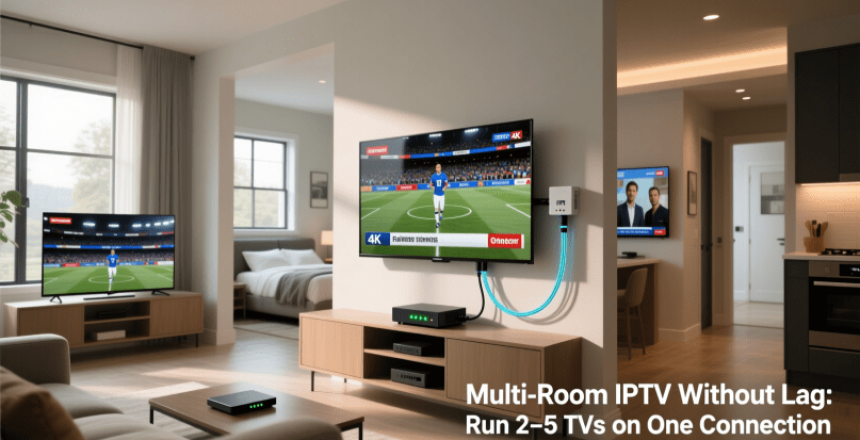
Many Canadians face the challenge of streaming content to multiple TVs without lag with their home entertainment systems. The rise of IPTV technology has made it possible to run several TVs on a single connection, but achieving a seamless viewing experience requires careful setup and optimization.
With the increasing demand for multi-device households, understanding how to configure a Multi-Room IPTV setup is crucial. This involves selecting the right equipment and ensuring that your internet connection can handle the bandwidth requirements.
A well-configured IPTV setup can provide a lag-free experience across multiple TVs, enhancing the overall viewing experience. In this article, we will explore the key considerations and best practices for setting up a multi-room IPTV system that meets your entertainment needs.
Key Takeaways
- Understand the bandwidth requirements for a multi-room IPTV setup.
- Learn how to optimize your IPTV setup for minimal lag.
- Discover the best practices for configuring multiple TVs on a single connection.
- Explore the equipment needed for a seamless multi-room IPTV experience.
- Find out how to enhance your overall viewing experience with IPTV technology.
What You Need to Know About IPTV Technology
IPTV technology has revolutionized the way we consume television, offering a more flexible alternative to traditional cable. Unlike traditional broadcast television, IPTV delivers content via Internet Protocol networks, allowing for a more personalized viewing experience.
How IPTV Differs from Traditional Cable
Traditional cable TV relies on a fixed broadcast schedule and is limited by its infrastructure. In contrast, IPTV uses the internet to stream content, enabling features like on-demand viewing and the ability to watch on multiple devices.
"The beauty of IPTV lies in its ability to deliver high-quality video content directly to your device, whenever you want it."
The Technical Basics of Streaming Television
Streaming television via IPTV involves encoding TV signals into digital data, transmitting this data over the internet, and decoding it for viewing on compatible devices. This process requires a stable internet connection and sufficient bandwidth to ensure smooth playback.
Benefits of Multi-Room IPTV for Canadian Households
For many Canadian households, multi-room IPTV offers a flexible and cost-effective alternative to traditional TV services. This technology allows families to enjoy their favorite shows and movies across multiple rooms without the need for separate subscriptions for each TV.
Cost Savings Over Multiple Subscriptions
One of the primary advantages of multi-room IPTV is the potential for cost savings. By consolidating TV services into a single IPTV subscription, households can significantly reduce their monthly entertainment expenses. This is particularly beneficial for larger families or households with multiple TVs.
Content Flexibility and Viewing Options
Multi-room IPTV also offers enhanced content flexibility and viewing options. With the ability to stream content to multiple devices, family members can watch different programs simultaneously, reducing conflicts over what to watch.
Integration with Smart Home Systems
Furthermore, multi-room IPTV can be integrated with smart home systems, enhancing the overall viewing experience. This integration allows for seamless control over the viewing environment, including lighting and sound adjustments.
Internet Requirements for Running 2-5 TVs Simultaneously
The key to a lag-free multi-room IPTV experience lies in meeting the necessary internet requirements. To stream content to multiple TVs simultaneously, a robust and stable internet connection is essential.
Minimum Bandwidth Calculations by Number of TVs
To determine the minimum bandwidth required, it's crucial to consider the number of TVs being used. Generally, a single HD stream requires about 5-7 Mbps, while a 4K stream can demand up to 25 Mbps. For multiple TVs, these requirements are multiplied accordingly.
Speed Requirements for Different Content Types
Different content types have varying bandwidth requirements. Understanding these needs is vital for a smooth viewing experience.
SD, HD, and 4K Streaming Demands
SD streaming requires the least bandwidth, typically around 2-3 Mbps per stream. HD streaming, as mentioned, requires 5-7 Mbps, while 4K content demands significantly more, up to 25 Mbps per stream.
Canadian ISP Options and Limitations
Canada has a range of ISP options, including major providers like Rogers, Bell, and Telus. Each offers various plans with different bandwidth limits. It's essential to choose a plan that meets your IPTV bandwidth requirements.
When selecting an ISP, consider not just the bandwidth but also any data caps or throttling policies that might affect your IPTV service.
Essential Hardware for a Lag-Free Multi-Room IPTV Setup
A smooth multi-room IPTV experience hinges on choosing the appropriate hardware for your setup. To ensure a lag-free experience, several key components must be considered.
IPTV Boxes and Compatible Smart TVs
The heart of any IPTV setup is the IPTV box or a compatible Smart TV. IPTV boxes decode the IPTV signal, allowing you to access various channels and content. When selecting an IPTV box, consider its processing power, memory, and compatibility with your IPTV service provider's requirements. Some popular options include:
- Formuler Z8 IPTV Receiver
- Android TV Boxes with IPTV compatibility
Alternatively, some Smart TVs come with built-in IPTV capabilities or can support IPTV apps, reducing the need for an additional box.
Routers and Network Switches
A robust router is crucial for managing the bandwidth required for multi-room IPTV. Look for routers that support Quality of Service (QoS) settings to prioritize IPTV traffic. For larger setups, network switches can help distribute the connection to multiple devices efficiently.
Signal Amplifiers and Extenders
In larger homes, signal degradation can be a challenge. Signal amplifiers and extenders can boost the signal strength, ensuring a stable connection across all rooms.
When and Where to Use Them
Use signal amplifiers and extenders when you have a large area to cover or when physical obstructions interfere with your Wi-Fi signal. Strategically placing these devices can significantly improve your IPTV experience.
By carefully selecting the right IPTV hardware, you can enjoy a lag-free IPTV experience across multiple rooms, enhancing your overall viewing pleasure.
Network Infrastructure: The Foundation of Smooth Multi-Room IPTV
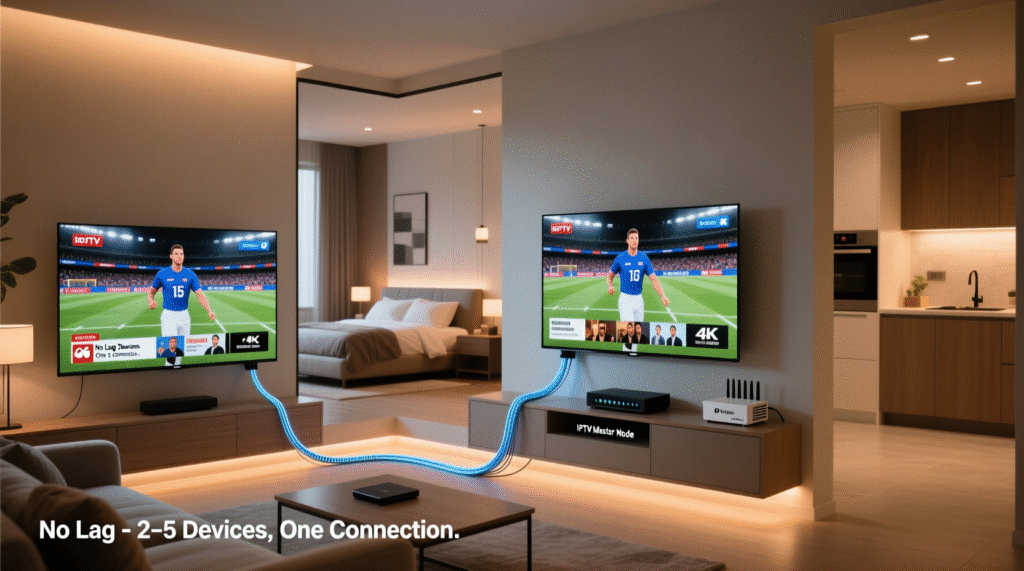
A robust network infrastructure is crucial for a seamless multi-room IPTV experience. With multiple TVs streaming content simultaneously, your home network is the backbone that supports this demanding task.
Ethernet vs. Wi-Fi: Making the Right Choice
When it comes to connecting your IPTV devices, you have two primary options: Ethernet and Wi-Fi. Ethernet provides a stable, high-bandwidth connection that's ideal for IPTV boxes. However, it requires a physical connection, which can limit device placement.
Wi-Fi, on the other hand, offers flexibility but may introduce latency and interference issues, especially in larger homes or with multiple devices connected.
- Use Ethernet for critical IPTV devices.
- Utilize Wi-Fi for less demanding devices or where Ethernet isn't feasible
Optimal Router Placement and Configuration
The placement and configuration of your router significantly impact your network's performance. Position your router in a central location to ensure even coverage throughout your home.
Mesh Networks for Larger Canadian Homes
For larger Canadian homes, a mesh network system can be an effective solution. These systems use multiple nodes to create a robust, reliable network that can handle the demands of multi-room IPTV.
By understanding your network infrastructure options and making informed choices, you can create a smooth multi-room IPTV experience that meets your household's needs.
Step-by-Step Setup Guide for Multi-Room IPTV
Multi-room IPTV setup involves more than just connecting devices; it requires a strategic approach to home networking. To enjoy a seamless IPTV experience across multiple TVs, careful planning and execution are crucial.
Planning Your Home Network Layout
Begin by assessing your home's network requirements. Consider the number of TVs, their locations, and the type of content you'll be streaming. A well-planned network layout ensures optimal performance and minimizes potential lag.
- Map out the location of each TV and potential network connection points.
- Determine if Ethernet or Wi-Fi is more suitable for each device.
- Consider the router's placement for optimal coverage.
Connecting and Configuring Each TV
Once your network layout is planned, it's time to connect and configure each TV. Ensure that your IPTV boxes or compatible smart TVs are connected to the network.
Configuration Steps:
- Connect IPTV boxes to the network via Ethernet or Wi-Fi.
- Configure each TV's settings according to the manufacturer's instructions.
- Test each TV to ensure it's receiving the IPTV signal correctly.
Testing and Optimizing Your Setup
After configuring your TVs, test your setup to identify any potential issues. Use performance benchmarking tools to assess your network's performance.
Performance Benchmarking Tools
Tools like Speedtest.net or iPerf can help measure your network's bandwidth and identify bottlenecks. For a multi-room IPTV setup, a minimum bandwidth of 25 Mbps per TV is recommended for HD content.
| TV Count | Minimum Bandwidth Required |
|---|---|
| 2 TVs | 50 Mbps |
| 3 TVs | 75 Mbps |
| 4 TVs | 100 Mbps |
| 5 TVs | 125 Mbps |
By following this step-by-step guide, you can create a robust multi-room IPTV setup that delivers high-quality entertainment across your home. Regularly testing and optimizing your network ensures a lag-free viewing experience.
IPTV Subscription Management for Multiple Devices
IPTV subscription management is a critical aspect of enjoying lag-free television across multiple TVs. Effective management ensures that all devices are connected and streaming content smoothly, without exceeding the limits set by your IPTV provider.
Understanding Connection Limits from Providers
Most IPTV providers impose connection limits on their subscriptions. Understanding these limits is crucial to avoiding service disruptions. Typically, a standard subscription allows for 2-3 simultaneous connections. Exceeding these limits may require upgrading your subscription plan or purchasing additional connections.
Canadian Legal Considerations and Options
In Canada, IPTV services are subject to specific regulations. It's essential to choose IPTV providers that comply with Canadian broadcasting laws. Some providers may offer more flexible plans or additional features that cater to multi-device households, making it important to review and compare available options.
Managing User Profiles and Preferences
Many IPTV services allow for the creation of multiple user profiles. This feature enables personalized viewing experiences for different family members. You can manage preferences such as favorite channels, parental controls, and content recommendations for each profile, enhancing the overall viewing experience.
By understanding connection limits, being aware of legal considerations, and managing user profiles effectively, households can optimize their IPTV subscription for multiple devices, ensuring a seamless and enjoyable viewing experience across all TVs.
Advanced Solutions for Seamless Multi-Room IPTV
As IPTV technology continues to evolve, advanced solutions are emerging to support multi-room configurations. For households with demanding viewing requirements, these cutting-edge technologies can provide a more robust and flexible IPTV experience.
Dedicated Media Servers and NAS Devices
Dedicated media servers and Network-Attached Storage (NAS) devices play a crucial role in managing and distributing IPTV content across multiple TVs. These devices can cache frequently accessed content, reducing the load on the network and minimizing lag. For instance, a NAS device like Synology DiskStation can be configured to store and stream IPTV content efficiently.
Key benefits of using dedicated media servers and NAS devices include:
- Improved content management and organization
- Enhanced streaming performance
- Increased storage capacity for media content
IPTV Middleware Platforms
IPTV middleware platforms act as intermediaries between the IPTV service provider and the end-user devices, offering features such as content aggregation, user profile management, and EPG (Electronic Program Guide) functionality. Middleware solutions like Minerva or Stalker Middleware can enhance the IPTV experience by providing a unified interface across multiple devices.
| Feature | Basic IPTV | IPTV with Middleware |
|---|---|---|
| Content Aggregation | Limited | Comprehensive |
| User Profile Management | No | Yes |
| EPG Functionality | Basic | Advanced |
Commercial-Grade Solutions for Home Use
While typically used in commercial settings, certain IPTV solutions designed for businesses can also be adapted for home use. These commercial-grade solutions often offer advanced features such as multi-screen support, content protection, and robust user management. For example, solutions like Verizon's FIOS TV or AT&T TV provide reliable service that can be scaled for larger households.
"The future of IPTV lies in its ability to integrate seamlessly into our daily lives, providing a personalized and immersive viewing experience across multiple devices." - IPTV Industry Expert
Troubleshooting Lag Issues by System Size
Troubleshooting lag in multi-room IPTV setups requires a nuanced understanding of system size and network capabilities. Lag issues can significantly impact the viewing experience, and their resolution often depends on the number of devices connected.
Common Problems in 2-3 TV Setups
In setups with 2-3 TVs, common issues include insufficient bandwidth and router capacity. Ensuring that your internet plan can support multiple streams is crucial. For instance, a minimum of 25 Mbps per stream is recommended for HD content.
Key troubleshooting steps include checking for firmware updates on your router and IPTV devices, and ensuring that your network is not congested with other devices.
Addressing Challenges in 4-5 TV Configurations
For larger setups with 4-5 TVs, challenges escalate due to increased demand on the network. Quality of Service (QoS) settings on your router can help prioritize IPTV traffic, reducing lag.
Using a wired Ethernet connection for as many devices as possible can also alleviate issues by reducing reliance on Wi-Fi.
When to Scale Back or Upgrade Your System
If lag persists despite troubleshooting, it may be necessary to either scale back the number of devices or upgrade your internet plan and hardware. Assessing the cost-benefit of upgrading versus reducing the number of TVs is essential.
Ultimately, understanding the limitations of your current setup and making informed decisions about upgrades or adjustments will lead to a smoother IPTV experience.
Optimizing Video Quality Without Sacrificing Performance
To ensure a superior viewing experience across multiple TVs, it's crucial to optimize video quality without compromising system performance. This balance is particularly important in Canadian households where multiple devices are connected to a single IPTV service.
Quality Settings for Different Viewing Scenarios
Adjusting video quality settings based on the content being viewed and the number of devices connected can significantly enhance the overall IPTV experience. For instance, high-definition content requires more bandwidth than standard definition. By dynamically adjusting quality settings, households can prevent network congestion and maintain smooth playback.
Content Caching and Buffer Management
Implementing effective content caching and buffer management strategies can reduce latency and improve video quality. Content caching involves storing frequently accessed content in locations closer to the end-user, minimizing the distance data travels, and reducing lag. Buffer management ensures that devices have a sufficient buffer to handle variations in network speed.
Bandwidth Allocation Strategies
Strategic bandwidth allocation is critical in multi-room IPTV setups. Allocating sufficient bandwidth to each device based on its specific needs ensures that all connected TVs receive a high-quality signal. This might involve prioritizing certain devices or content types during peak viewing times.
By implementing these strategies, households can enjoy a seamless and high-quality IPTV experience across multiple devices, without sacrificing performance.
Future-Proofing Your Multi-Room IPTV Investment
As IPTV technology continues to evolve, it's essential to future-proof your multi-room investment. This involves staying informed about emerging standards and technologies that can impact your system's performance and longevity.
Emerging Standards and Technologies
The IPTV landscape is constantly evolving, with new standards and technologies emerging regularly. For instance, the adoption of IPv6 is becoming more widespread, offering improved address space and security features. Additionally, advancements in video compression technologies like H.266/VVC are enhancing video quality while reducing bandwidth requirements.
Scalability Considerations for Growing Households
When planning your IPTV system, it's crucial to consider scalability. This includes:
- Choosing hardware that can be easily upgraded or expanded
- Selecting IPTV providers that offer flexible subscription plans
- Designing your network infrastructure to accommodate additional devices
Upgrade Paths for Existing Systems
For those with existing IPTV systems, upgrading can be a cost-effective way to future-proof your investment. This might involve:
- Upgrading your router to support the latest Wi-Fi standards
- Adding new devices to your network
- Optimizing your content delivery network (CDN) settings
By considering these factors, you can ensure your multi-room IPTV system remains robust and adaptable to future technological advancements.
Conclusion
Implementing a multi-room IPTV setup in Canadian households can be a game-changer for entertainment enthusiasts. By understanding the technical requirements and practical steps outlined in this article, users can enjoy a lag-free viewing experience across multiple TVs.
A reliable internet connection, essential hardware, and a well-planned network infrastructure are crucial for a smooth IPTV experience. By choosing the right IPTV subscription and managing user profiles effectively, households can enjoy their favorite content without interruptions.
In summary, a well-designed multi-room IPTV setup offers numerous benefits, including cost savings, content flexibility, and integration with smart home systems. By following the guidelines provided, Canadian households can create an IPTV summary of their viewing needs and enjoy a seamless entertainment experience.
FAQ
What is the minimum internet speed required for a multi-room IPTV setup?
The minimum internet speed required depends on the number of TVs and the type of content being streamed. For example, streaming HD content on multiple TVs requires a minimum speed of at least 25 Mbps per TV.
Can I use Wi-Fi for my multi-room IPTV setup?
While Wi-Fi can be used, Ethernet is generally recommended for a more stable and reliable connection. Wi-Fi can be used for devices that are not as sensitive to lag, but for a lag-free experience, Ethernet is preferred.
How many devices can I connect to my IPTV subscription?
The number of devices you can connect depends on your IPTV provider's connection limits. Some providers may allow more devices than others, so it's best to check with your provider directly.
What is the difference between SD, HD, and 4K streaming?
SD (Standard Definition) streaming requires less bandwidth than HD (High Definition) or 4K streaming. HD streaming requires a minimum of 5 Mbps per stream, while 4K streaming requires at least 25 Mbps per stream.
Do I need a dedicated router for my IPTV setup?
A dedicated router can help improve the performance of your IPTV setup, especially if you have multiple devices connected. However, a high-quality router with Quality of Service (QoS) settings can also work well.
Can I use a mesh network for my IPTV setup?
Yes, a mesh network can be used to improve coverage and reduce dead spots in your home. This can be especially helpful for larger homes or homes with multiple floors.
How do I optimize my IPTV setup for different viewing scenarios?
You can optimize your IPTV setup by adjusting quality settings, using content caching, and allocating bandwidth effectively. This can help ensure a smooth viewing experience across multiple devices.
What are some common issues with multi-room IPTV setups?
Common issues include lag, buffering, and poor video quality. These can be caused by a variety of factors, including internet speed, hardware quality, and network configuration.
How can I troubleshoot lag issues in my IPTV setup?
To troubleshoot lag issues, check your internet speed, hardware quality, and network configuration. You may need to adjust your setup or upgrade your equipment to resolve the issue.
Can I future-proof my IPTV investment?
Yes, you can future-proof your IPTV investment by choosing scalable equipment and staying up-to-date with emerging standards and technologies.
