
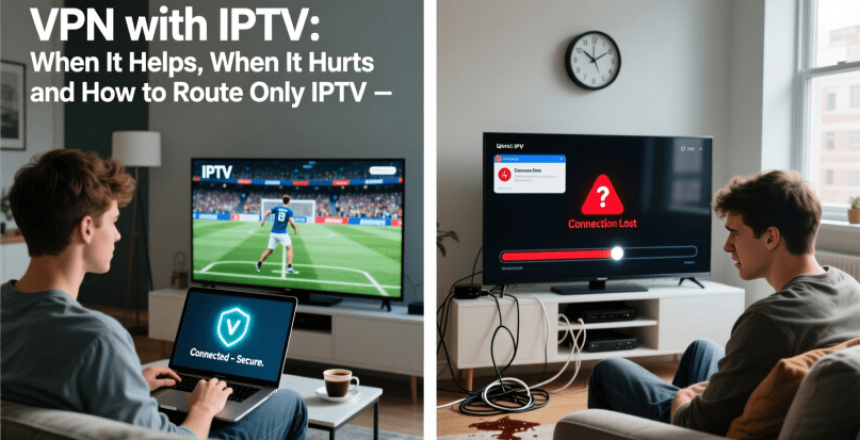
Streaming IPTV content has become a staple for many Canadians, offering a wide range of channels and on-demand content. However, accessing this content can sometimes be restricted due to geo-blocking or other limitations.
Using a VPN with IPTV can help bypass these restrictions, allowing users to access their favorite content from anywhere. But it's crucial to understand that a VPN can also potentially degrade the streaming quality if not configured correctly.
The key is to know when a VPN is beneficial and when it might hurt your IPTV streaming experience. Proper configuration is essential to maintaining high-quality streaming while benefiting from the benefits.
Key Takeaways
- Understand how VPNs interact with IPTV streaming.
- Learn when using a VPN with IPTV is beneficial.
- Discover how to configure your VPN for optimal IPTV performance.
- Identify potential drawbacks of using a VPN with IPTV.
- Find out how to route only IPTV traffic through your VPN.
Understanding IPTV and Its Growing Popularity
IPTV is revolutionizing the way Canadians consume television. IPTV, or Internet Protocol Television, allows users to stream television content over the internet rather than through traditional satellite or cable formats.
What Is IPTV and How Does It Work
IPTV delivers television content through a broadband connection, offering a more flexible and personalized viewing experience. It works by encoding TV signals into Internet Protocol packets, which are then decoded by the user's device, such as a smart TV or set-top box.
The key benefits include:
- On-demand content viewing
- Multi-device support
- Interactive TV features
The Rise of IPTV Services in Canada
IPTV services are gaining traction in Canada due to their flexibility and the wide range of content offered. Canadian consumers are drawn to IPTV for its ability to provide both local and international channels, as well as video-on-demand services.
Some key factors contributing to its rise include:
- Increasing internet speeds across Canada
- Growing demand for on-demand content
The Basics of VPN Technology
VPN technology has become a cornerstone in protecting online privacy. As the internet continues to evolve, the need for secure and private connections has become increasingly important. VPNs, or Virtual Private Networks, play a crucial role in this arena.
How VPNs Protect Your Online Privacy
VPNs protect online privacy by encrypting internet traffic, making it difficult for third parties to intercept and read the data. This encryption is especially important when using public Wi-Fi networks, which are often targeted by hackers. By masking the user's IP address, VPNs also prevent ISPs and other entities from tracking online activities.
VPN Connection Types and Protocols
There are several VPN connection types and protocols, each with its own strengths. Common protocols include OpenVPN, IKEv2, and WireGuard, which offer a balance between security and speed. The choice of protocol often depends on the user's specific needs, such as streaming or torrenting.
| VPN Protocol | Security Level | Speed |
|---|---|---|
| OpenVPN | High | Medium |
| IKEv2 | High | Fast |
| WireGuard | High | Very Fast |
Benefits of Using a VPN with IPTV
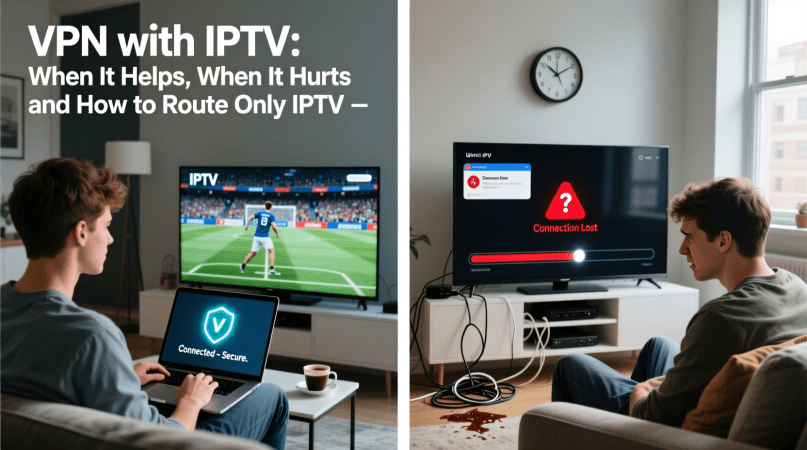
The combination of VPN and IPTV offers numerous benefits, including enhanced privacy and the ability to bypass ISP throttling. By using a VPN with IPTV, users can enjoy a more secure and flexible viewing experience.
Accessing Geo-Restricted Content
One of the primary benefits of using a VPN with IPTV is the ability to access geo-restricted content. Many IPTV services are restricted to specific geographic regions, but a VPN can mask your IP address, making it appear as though you're accessing the content from an allowed location. This is particularly useful for expatriates who want to access content from their home country.
Bypassing ISP Throttling
ISPs often throttle bandwidth for IPTV services, leading to buffering and poor video quality. A VPN can help bypass this throttling by encrypting your internet traffic, making it difficult for your ISP to detect that you're streaming IPTV content. This results in a smoother and more reliable viewing experience.
Enhanced Privacy and Security
Using a VPN with IPTV also enhances your privacy and security. By encrypting your internet traffic, a VPN protects your viewing habits from being monitored by third parties, including your ISP and hackers. This is especially important for users who access IPTV services over public Wi-Fi networks.
| Benefit | Description |
|---|---|
| Accessing Geo-Restricted Content | Mask IP address to access content from any location |
| Bypassing ISP Throttling | Encrypt internet traffic to prevent bandwidth throttling |
| Enhanced Privacy and Security | Encrypt viewing habits to protect against monitoring |
When VPN Use Can Negatively Impact IPTV Performance
While VPNs offer numerous benefits for IPTV users, there are scenarios where their use can negatively impact performance. The relationship between VPNs and IPTV is complex, and understanding the potential drawbacks is crucial for a seamless viewing experience.
Speed Reduction and Buffering Issues
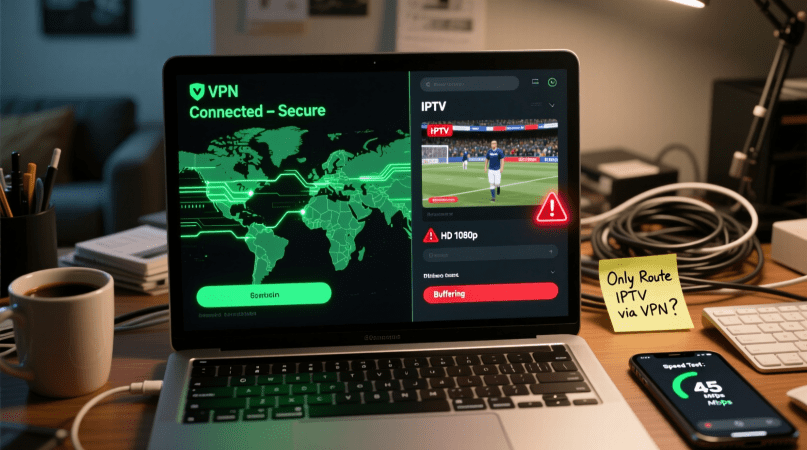
One of the primary concerns when using a VPN with IPTV is the potential for speed reduction, which can lead to buffering issues. VPNs encrypt internet traffic, which can slow down the connection. This is particularly problematic for IPTV, as it requires a stable and fast internet connection to stream content without interruption.
- The encryption process can slow down the internet speed
- The distance between the user and the VPN server affects speed
- The quality of VPN service impacts overall performance
VPN Detection by IPTV Providers
Some IPTV providers have measures in place to detect and block VPN usage. When a VPN is detected, the IPTV service may refuse to stream content, or the quality may be significantly reduced. This can be frustrating for users who rely on VPNs for privacy and accessing geo-restricted content.
Compatibility Problems with Certain Devices
Not all devices are compatible with every VPN service. Compatibility issues can lead to a range of problems, including poor IPTV performance. It's essential to choose a VPN that is compatible with your device to avoid such issues.
Legal Considerations for VPN with IPTV in Canada
As Canadians increasingly turn to IPTV services for their entertainment needs, understanding the legal landscape surrounding these services becomes crucial. The use of VPNs with IPTV adds another layer of complexity to the legal considerations.
Canadian Laws and IPTV Services
Canadian laws regarding IPTV services are primarily focused on copyright infringement. IPTV services that stream copyrighted content without proper authorization may be violating Canadian copyright laws. Users of these services should be aware that:
- Accessing pirated content is illegal and can result in fines or other penalties.
- Some IPTV services operate in a legal gray area, making it essential for users to research the service's legitimacy.
Copyright Implications and Best Practices
To avoid copyright implications, IPTV users in Canada should adhere to best practices such as using authorized IPTV services and being cautious of services that seem too good to be true. Using a VPN can help protect user privacy, but it does not make illegal activities legal. Key best practices include:
- Choosing IPTV services that have proper licensing agreements.
- Understanding that VPNs do not shield users from all legal repercussions of accessing pirated content.
Choosing the Right VPN for IPTV Streaming
When it comes to IPTV streaming, not all VPNs are created equal. The right VPN can make a significant difference in your viewing experience by providing access to geo-restricted content, enhancing privacy, and reducing the risk of ISP throttling.
Key Features to Look For
To ensure a seamless IPTV streaming experience, look for a VPN with specific features. Two crucial aspects are server locations and speed, as well as device compatibility.
Server Locations and Speed
A VPN with a large network of servers in various locations can help you access geo-restricted IPTV content. Fast server speeds are also essential to prevent buffering and ensure smooth streaming.
Device Compatibility
Ensure that the VPN is compatible with your IPTV device. Many VPNs offer apps for popular devices, including smart TVs, streaming boxes, and mobile devices. This ensures that you can protect your IPTV streaming without compromising on performance.
Top VPN Services for IPTV in Canada
Some VPN services stand out for their performance and features that are particularly beneficial for IPTV streaming in Canada. Services like ExpressVPN, NordVPN, and CyberGhost are known for their fast speeds, extensive server networks, and compatibility with a range of devices.
Free vs. Paid VPN Options
While free VPNs may seem appealing, they often come with limitations such as data caps, slower speeds, and fewer server options. Paid VPN services, on the other hand, typically offer more robust features, better performance, and dedicated customer support, making them a better choice for IPTV streaming.
Understanding Split Tunneling for VPN with IPTV
With the increasing demand for secure and private IPTV streaming, the concept of split tunneling has become crucial. Split tunneling allows users to route specific applications or services through a VPN while keeping other internet traffic on the regular connection.
What Is Split Tunneling and How Does It Work
Split tunneling is a feature offered by some VPN clients that enables users to selectively route internet traffic through the VPN tunnel. This means that IPTV streaming can be routed through the VPN for security and geo-unblocking, while other applications access the internet directly.
According to a report, "Split tunneling provides a flexible solution for users who need to balance security with performance." This is particularly useful for IPTV users who require a stable and fast connection for streaming.
Benefits of Selective Routing for IPTV
The primary benefit of split tunneling for IPTV users is the ability to maintain a fast and stable connection for streaming while securing the IPTV traffic through the VPN. This selective routing helps in reducing buffering issues and ensures that the IPTV service remains uninterrupted.
As noted by a VPN expert, "By routing only the IPTV traffic through the VPN, users can enjoy their favorite shows without compromising on speed or security."
VPN Clients That Support Split Tunneling
Not all VPN clients support split tunneling. Some of the top VPN services that offer this feature include ExpressVPN, NordVPN, and Surfshark. These VPN clients provide users with the flexibility to configure their IPTV streaming to be routed through the VPN while keeping other internet traffic on the regular connection.
When choosing a VPN for IPTV, it's essential to look for clients that support split tunneling to optimize your streaming experience.
Step-by-Step Guide to Routing Only IPTV Through VPN
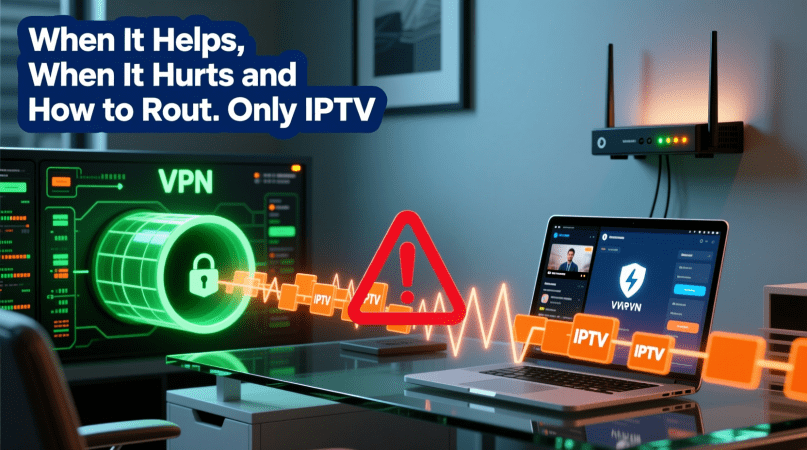
Configuring your VPN to route only IPTV traffic can significantly enhance your streaming experience. This guide will walk you through the process of setting up split tunneling on various devices, ensuring that your IPTV streams are prioritized while keeping other internet activities unaffected.
Setting Up Split Tunneling on Windows
Windows users can leverage split tunneling using either built-in VPN client features or third-party solutions.
Using Built-in VPN Client Features
To use the built-in VPN client features on Windows, start by configuring your VPN connection. Navigate to Settings > Network & Internet > VPN, and add your VPN details. Once connected, you can configure the split tunneling settings by selecting the Advanced options and then choosing the apps you want to use with the VPN.
Third-Party Solutions
For more advanced features, consider using third-party VPN clients that support split tunneling. These clients often provide more granular control over your VPN settings, allowing you to specify which applications or services should use the VPN connection. Popular third-party VPN clients include ExpressVPN and NordVPN, which offer user-friendly interfaces for configuring split tunneling.
Configuration on Mac and iOS Devices
Mac and iOS users can also benefit from split tunneling to optimize their IPTV streaming.
Using VPN Apps with Split Tunneling
To set up split tunneling on Mac or iOS devices, use a VPN app that supports this feature. Apps like ExpressVPN and TunnelBear offer split tunneling capabilities. Simply download and install the VPN app, configure your VPN connection, and then navigate to the app's settings to enable split tunneling.
Manual Configuration Options
For manual configuration, Mac users can use the built-in VPN settings to configure split tunneling. Navigate to System Preferences > Network, and configure your VPN connection. While iOS devices don't have a built-in option for split tunneling, some VPN apps provide this functionality.
Set upon Android Devices and TV Boxes
Android users can also configure split tunneling to optimize IPTV streaming on their devices and TV boxes.
App-Based Solutions
Android devices can use VPN apps that support split tunneling, such as ExpressVPN and NordVPN. These apps provide an easy-to-use interface for configuring split tunneling, allowing you to choose which apps or services should use the VPN connection.
Advanced Settings for Android TV
For Android TV boxes, the process is similar. Use a VPN app designed for Android TV, such as ExpressVPN, to configure split tunneling. These apps often provide a dedicated interface for Android TV, making it easy to manage your VPN settings and optimize your IPTV streaming experience.
By following these steps, you can effectively route only your IPTV traffic through your VPN, enhancing your streaming experience while minimizing the impact on other internet activities.
Troubleshooting Common VPN and IPTV Issues
Troubleshooting VPN and IPTV issues is crucial for maintaining a seamless streaming experience. When using a VPN with IPTV, several technical problems can arise, impacting your ability to enjoy your favorite content without interruption.
Connection Drops and Instability
One of the most common issues is connection drops and instability. This can be due to a variety of factors, including an unstable VPN connection or issues with your internet service provider (ISP).
To resolve this, try switching to a different VPN server or protocol. Some VPNs offer specialized servers optimized for streaming, which can help stabilize your connection.
Slow Loading and Buffering Problems
Slow loading and buffering are other frequent complaints. These issues often stem from the VPN slowing down your internet connection. To mitigate this, you can try enabling split tunneling, which allows you to route only your IPTV traffic through the VPN, leaving other internet activities unaffected.
VPN Blocking by IPTV Services
Some IPTV services actively block VPN traffic to enforce geo-restrictions. If you're experiencing this issue, look for a VPN that is known to effectively bypass these blocks. Some VPNs regularly update their IP addresses to avoid detection.
Device-Specific Issues
Device-specific issues can also occur. For instance, some devices may not be compatible with certain VPN protocols. Ensure that your device is supported by your VPN and that you have the latest firmware updates installed.
| Issue | Troubleshooting Step | Potential Solution |
|---|---|---|
| Connection Drops | Check VPN server status | Switch to a different VPN server |
| Slow Loading | Enable split tunneling | Route only IPTV through VPN |
| VPN Blocking | Use a VPN with rotating IPs | Bypass IPTV service blocks |
Conclusion: Optimizing Your IPTV Experience with VPN
Optimizing your IPTV experience with a VPN requires a comprehensive understanding of how these technologies work together. By using a VPN with IPTV, you can access geo-restricted content, bypass ISP throttling, and enhance your online privacy and security.
To achieve the best IPTV experience, it's essential to choose a VPN that is optimized for streaming. Look for a VPN with a strong network of servers, fast connection speeds, and robust encryption protocols. Configuring split tunneling can also help to improve your IPTV experience by allowing you to route only your IPTV traffic through the VPN.
By following the guidelines outlined in this article, you can enjoy a seamless and secure IPTV experience. Whether you're looking to access international content or protect your online identity, using a VPN with IPTV can help to enhance your overall viewing experience and provide VPN optimization.
FAQ
What is the purpose of using a VPN with IPTV?
Using a VPN with IPTV helps to access geo-restricted content, bypass ISP throttling, and enhance online privacy and security.
Can a VPN slow down my IPTV streaming?
Yes, a VPN can potentially slow down your IPTV streaming due to the encryption process and the distance between your device and the VPN server. However, a high-quality VPN with optimized servers can minimize this impact.
How do I choose the right VPN for IPTV streaming?
When choosing a VPN for IPTV, consider factors such as server locations, speed, device compatibility, and the ability to bypass geo-restrictions. Look for VPNs that have a proven track record of working with IPTV services.
What is split tunneling, and how can it help with IPTV?
Split tunneling is a feature that allows you to route specific traffic through the VPN while keeping other traffic outside of it. This can help optimize your IPTV streaming by ensuring that only IPTV traffic is encrypted, reducing the load on your internet connection.
Can I use a free VPN with IPTV?
While it's technically possible to use a free VPN with IPTV, free VPNs often have limitations such as data caps, slower speeds, and fewer server locations, which can negatively impact your IPTV streaming experience.
How do I set up split tunneling for IPTV on my device?
The setup process for split tunneling varies depending on your device and VPN client. Generally, you'll need to access your VPN client's settings, enable split tunneling, and select the IPTV application or traffic to route through the VPN.
What are the legal implications of using a VPN with IPTV in Canada?
Using a VPN with IPTV in Canada is generally legal, but it's essential to ensure that you're using IPTV services that are authorized and comply with Canadian copyright laws.
Can a VPN help with buffering issues on IPTV?
A VPN can potentially help with buffering issues on IPTV by bypassing ISP throttling. However, if the buffering is caused by a slow internet connection or VPN server, it may not resolve the issue.
Are there any device-specific issues when using a VPN with IPTV?
Yes, some devices may have compatibility issues with certain VPN clients or require specific configuration settings. It's essential to check your device's compatibility with your VPN and IPTV service.
