
Are you experiencing issues with the Electronic Program Guide (EPG) on your TiviMate or IPTV Smarters app? You're not alone. Many users face streaming problems due to EPG-related issues, disrupting their viewing experience.
This article will explore the common causes behind EPG not working on these popular streaming apps and provide you with practical fixes to resolve the issue. Whether you're using TiviMate or IPTV Smarters, we've got you covered with 7 potential solutions to get your EPG up and running smoothly again.
Key Takeaways
- Identify the common causes of EPG issues on TiviMate and IPTV Smarters
- Learn how to troubleshoot EPG problems on your streaming device
- Discover 7 practical fixes to resolve EPG not working issues
- Get tips on optimizing your streaming experience with TiviMate and IPTV Smarters
- Understand how to minimize streaming problems related to EPG
Understanding EPG and Its Importance
For IPTV users, the Electronic Program Guide (EPG) is an indispensable tool that enhances their streaming experience. The EPG serves as a comprehensive guide to TV programs, allowing users to navigate through various channels and shows with ease.
What is an Electronic Program Guide (EPG)?
An Electronic Program Guide (EPG) is a digital guide that provides information about TV programs, including schedules, descriptions, and other relevant details. It is an essential component of modern IPTV services, making it easier for users to find and watch their favorite shows.
How EPG Enhances Your IPTV Experience
The EPG significantly enhances the IPTV viewing experience by providing users with a user-friendly interface to browse through channels and programs. Here are some key benefits:
- Easy navigation through various channels
- Detailed program information, including schedules and descriptions
- Personalized recommendations based on viewing history
| EPG Feature | Benefit to User |
|---|---|
| Comprehensive TV Guide | Easy access to program information |
| Personalized Recommendations | Enhanced viewing experience |
By understanding and utilizing the EPG effectively, IPTV users can maximize their streaming experience, enjoying a more organized and personalized way of watching TV.
Why Is Your EPG Not Working? Common Symptoms
The Electronic Program Guide (EPG) is a crucial component of IPTV services, and when it fails, users may experience a variety of issues. Understanding these symptoms is key to diagnosing and resolving the problem.
Blank or Missing Program Information
One of the most common symptoms of an EPG issue is blank or missing program information. This can manifest as empty channels, missing showtimes, or a complete lack of data on the guide.
Incorrect Program Listings
Sometimes, the EPG may display incorrect information, such as wrong showtimes, mislabeled channels, or inaccurate program descriptions. This can be confusing and disrupt your viewing experience.
EPG Loading Indefinitely
Another symptom is when the EPG loads indefinitely, never displaying the program information. This can be due to various factors, including server issues or network connectivity problems.
Canadian Channel Guide Issues
For Canadian IPTV users, specific channel guide issues can arise, such as regional sports channels not displaying correctly or local news channels being unavailable. These issues can be particularly frustrating for users relying on these channels.
| Symptom | Description | Possible Cause |
|---|---|---|
| Blank or Missing Program Information | Empty channels or missing showtimes | EPG data feed issues |
| Incorrect Program Listings | Wrong showtimes or mislabeled channels | Incorrect EPG configuration |
| EPG Loading Indefinitely | EPG never displays program information | Server or network issues |
| Canadian Channel Guide Issues | Regional sports or local news channels not available | Regional broadcasting restrictions |
Cause 1: Outdated IPTV Application
An outdated IPTV application can significantly disrupt your EPG experience. When your IPTV app is not updated, it can lead to compatibility issues with the Electronic Program Guide, resulting in malfunctions or failure to load program information.
How Outdated Apps Affect EPG Functionality
Outdated IPTV applications can cause EPG issues due to changes in the app's code or compatibility problems with the server providing the EPG data. Updating your IPTV app ensures you have the latest fixes and improvements, which are crucial for maintaining a smooth EPG experience.
How to Update TiviMate
To update TiviMate, follow these steps:
- Open the Google Play Store on your Android device.
- Search for "TiviMate" in the search bar.
- If an update is available, you'll see an "Update" button. Tap on it.
- Wait for the update to download and install.
How to Update IPTV Smarters
To update IPTV Smarters, follow these steps:
- For Android devices: Go to the Google Play Store, search for "IPTV Smarters," and update if available.
- For iOS devices: Open the App Store, search for "IPTV Smarters," and update if available.
As noted by a user,
"Keeping my IPTV app updated has resolved most of my EPG issues."
This highlights the importance of regular updates for a seamless viewing experience.
| App | Update Steps |
|---|---|
| TiviMate | Google Play Store > Search TiviMate > Update |
| IPTV Smarters | Google Play Store/App Store > Search IPTV Smarters > Update |
Cause 2: Incorrect EPG URL Configuration
Misconfigured EPG URLs are a common cause of EPG not working on TiviMate or IPTV Smarters. The Electronic Program Guide (EPG) relies on a correctly configured URL to fetch and display program information. An incorrect or malformed EPG URL can lead to a blank or missing program guide, disrupting your IPTV experience.
Understanding EPG URL Structure
The EPG URL is typically provided by your IPTV service provider and is structured to fetch program data from a specific server. The URL usually includes the protocol (http/https), the server address, and sometimes additional parameters for authentication or data formatting. Understanding this structure is crucial for troubleshooting EPG issues.
Fixing EPG URL in TiviMate
To fix the EPG URL in TiviMate, navigate to the app's settings, find the EPG settings section, and update the EPG URL with the correct link provided by your IPTV service provider. Ensure that the URL is correctly formatted and saved.
Fixing EPG URL in IPTV Smarters
For IPTV Smarters, go to the settings, select the "EPG Guide Data" or similar option, and update the EPG URL. Make sure to save the changes and restart the app for the new settings to take effect.
Verifying XML Format Compatibility
It's also essential to verify that the EPG data is in a format compatible with your IPTV app. Most apps support XML format, but the structure and tags used within the XML file can vary. Ensure that your IPTV provider's EPG data is correctly formatted and compatible with your chosen IPTV application.
By correctly configuring the EPG URL and ensuring compatibility with your IPTV app, you can resolve many EPG-related issues and enjoy a seamless viewing experience.
Cause 3: Server-Side EPG Issues
IPTV users may encounter EPG problems due to server-side issues, which are often beyond their control. Server-side EPG issues occur when the problem lies with the IPTV service provider's servers rather than the user's device or configuration.
How to Identify Server Problems
To determine if server-side issues are causing your EPG problems, check if other users of the same IPTV service are experiencing similar issues. You can do this by visiting online forums or social media groups related to your IPTV provider.
Common indicators of server-side issues include:
- Multiple users are reporting EPG failures
- Error messages indicating server problems
- EPG is not loading across different devices using the same IPTV service
Contacting Your IPTV Provider
If you suspect server-side issues, contacting your IPTV provider is the next step. Be prepared to provide details about your issue, including error messages and the time it occurred.
| Information to Provide | Example |
|---|---|
| Error Message | "EPG Load Failed" |
| Time of Occurrence | 8:00 PM EST |
| Device and App Used | TiviMate on Android TV |
Temporary Workarounds for Server Issues
While waiting for your IPTV provider to resolve server-side issues, consider using alternative EPG sources or checking if your provider has a backup EPG URL.
By understanding the nature of server-side EPG issues and knowing how to identify and address them, you can minimize downtime and continue enjoying your IPTV service.
Cause 4: Network Connectivity Problems
EPG functionality heavily relies on robust network connectivity to fetch and update program listings in real-time. When network connectivity is compromised, it can lead to various EPG loading issues, affecting the overall IPTV viewing experience.
How Network Issues Affect EPG Loading
Network connectivity problems can manifest in different ways, such as slow internet speeds, packet loss, or complete network outages. These issues can prevent EPG data from loading correctly or promptly, resulting in:
- Delayed or incomplete EPG listings
- Failure to update program schedules
- Inability to fetch EPG data, leading to a blank or missing program guide
Troubleshooting Your Internet Connection
To address EPG issues related to network connectivity, start by troubleshooting your internet connection:
- Check your internet speed to ensure it meets the minimum requirements for IPTV streaming.
- Restart your router to resolve any temporary connectivity issues.
- Verify that your device is connected to the correct network.
Optimizing Network Settings for EPG
Adjusting your network settings can also improve EPG loading:
- Use a wired Ethernet connection for more stability.
- Configure your router's Quality of Service (QoS) settings to prioritize IPTV traffic.
Canadian ISP-Specific Considerations
Canadian IPTV users may face unique network challenges due to the country's vast geography and varying ISP infrastructures. Some considerations include:
| ISP | Average Speed | Known Issues |
|---|---|---|
| Rogers | 150 Mbps | Peak hour congestion |
| Bell | 120 Mbps | Data caps |
| Telus | 100 Mbps | Throttling during high usage |
Understanding your ISP's network characteristics can help you troubleshoot EPG issues more effectively. For instance, if you're experiencing EPG loading problems during peak hours, it might be due to network congestion.
By addressing network connectivity problems and optimizing your internet connection, you can significantly improve your EPG experience on TiviMate and IPTV Smarters.
Cause 5: Incorrect Time Zone Settings
One often overlooked cause of EPG malfunction is incorrect time zone configuration. Time zone settings play a vital role in ensuring that your Electronic Program Guide (EPG) displays the correct schedule for your location.
Why Time Zone Matters for EPG
The EPG relies on accurate time zone information to display program timings correctly. If your device is set to the wrong time zone, the EPG will show incorrect program start and end times, leading to confusion and potential missed broadcasts.
Adjusting Time Zone in TiviMate
To adjust the time zone in TiviMate, follow these steps:
- Open TiviMate on your device.
- Go to the settings menu.
- Look for the "Time Zone" or "Date & Time" option.
- Select your correct time zone from the list.
- Save your changes.
Adjusting Time Zone in IPTV Smarters
For IPTV Smarters, the process is similar:
- Launch IPTV Smarters on your device.
- Navigate to the settings or configuration section.
- Find the "Time Zone" setting.
- Choose your appropriate time zone.
- Confirm your selection to save the changes.
Setting Canadian Time Zones Correctly
Canada spans multiple time zones, including Pacific, Mountain, Central, Eastern, and others. Ensure you select the correct time zone for your location. For instance, if you're in Vancouver, you should set your time zone to Pacific Time. If you're in Toronto, you should choose Eastern Time.
By correctly setting your time zone, you can resolve EPG display issues and enjoy a seamless viewing experience with your IPTV service.
Cause 6: Cache and Data Corruption
One often overlooked cause of EPG issues is cache and data corruption. When your IPTV application stores data, it can sometimes become corrupted or outdated, leading to problems with your Electronic Program Guide.
How Cache Affects EPG Performance
Cache memory is used by applications like TiviMate and IPTV Smarters to store temporary data. Over time, this cache can become corrupted or filled with outdated information, which can cause your EPG to malfunction. Symptoms can include missing program information, incorrect listings, or the EPG failing to load altogether.
Clearing Cache in TiviMate
To clear the cache in TiviMate, follow these steps:
- Open TiviMate on your device.
- Go to the settings menu.
- Select "Data Management."
- Choose "Clear Cache."
- Confirm that you want to clear the cache.
Clearing Cache in IPTV Smarters
For IPTV Smarters, the process is slightly different:
- Open IPTV Smarters on your device.
- Navigate to the settings or configuration section.
- Look for "Clear Cache" or "Clear Data" options.
- Select the appropriate option to clear the cache.
Performing a Clean Reinstall
If clearing the cache doesn't resolve your EPG issues, you may need to perform a clean reinstall of your IPTV application. This involves uninstalling the app, removing any associated data, and then reinstalling it. Be sure to back up any important settings or login information before doing so.
| Application | Clear Cache Steps | Clean Reinstall Steps |
|---|---|---|
| TiviMate | Settings > Data Management > Clear Cache | Uninstall > Remove Data > Reinstall |
| IPTV Smarters | Settings > Clear Cache/Clear Data | Uninstall > Remove Data > Reinstall |
By following these steps, you should be able to resolve EPG issues related to cache and data corruption. Regularly clearing your cache can help prevent these problems from occurring in the future.
Cause 7: Device Compatibility Issues
One often overlooked cause of EPG malfunction is device incompatibility, which can affect both TiviMate and IPTV Smarters. Ensuring that your device is compatible with the IPTV application is crucial for a seamless viewing experience.
Common Device Limitations
Different devices have varying capabilities that can impact how well an IPTV app functions. For instance, older devices might not support the latest software updates required by TiviMate or IPTV Smarters, leading to EPG issues. Checking your device's specifications against the app's requirements is a crucial first step.
Optimizing TiviMate for Your Device
To optimize TiviMate, ensure your device's operating system is up-to-date. Additionally, closing unnecessary background apps can help allocate sufficient resources for TiviMate to run smoothly. As noted by a TiviMate user, "Updating my device's OS resolved the EPG loading issue I was experiencing."
"The key to a smooth IPTV experience lies in ensuring your device and apps are compatible and up-to-date."
Optimizing IPTV Smarters for Your Device
For IPTV Smarters, adjusting the buffer settings can help improve EPG loading times on less powerful devices. It's also beneficial to check for any available updates for the app itself, as these often include performance enhancements.
Best Devices for Canadian IPTV Users
Canadian IPTV users often prefer devices that offer a balance between performance and cost. Popular choices include certain models of Android TV boxes and Amazon Fire TV devices, which are known for their compatibility with a wide range of IPTV apps, including TiviMate and IPTV Smarters.
By understanding and addressing device compatibility issues, Canadian IPTV users can significantly improve their EPG experience, ensuring they stay connected to their favorite channels and programs without interruption.
Alternative EPG Solutions When Nothing Works
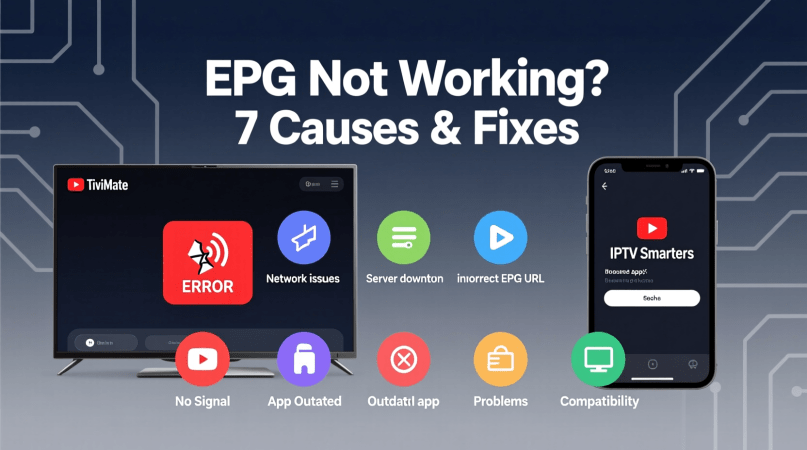
When EPG issues persist despite troubleshooting, exploring alternative EPG solutions becomes essential. This approach can provide a reliable workaround for users experiencing persistent problems with their current EPG setup.
Third-Party EPG Providers
One viable option is to switch to third-party EPG providers. These services often offer more robust and reliable EPG data, potentially resolving the issues you're experiencing with your current provider. Some popular third-party EPG providers include EPG123 and TV Guide.
Setting Up External EPG Sources
Another solution is to set up external EPG sources. This involves configuring your IPTV application to use an alternative EPG URL. To do this, you'll need to obtain the EPG URL from your chosen provider and then follow the application's specific instructions for entering this information. For instance, in TiviMate, you can do this by navigating to the EPG settings and entering the new URL.
Canadian-Specific EPG Alternatives
For Canadian users, there are Canadian-specific EPG alternatives available. These are particularly useful as they often include region-specific channels and programming information. Examples include XMLTV and other regional EPG providers that cater to Canadian IPTV users.
By exploring these alternative EPG solutions, users can potentially resolve their EPG issues and enjoy a more stable and comprehensive viewing experience.
Conclusion
Resolving EPG issues is crucial for a seamless streaming experience on TiviMate and IPTV Smarters. The 7 causes and fixes outlined in this article provide a comprehensive guide to troubleshooting EPG not working issues.
By understanding the root causes of EPG problems, users can take corrective measures to ensure their electronic program guide is functioning correctly. Whether it's updating the IPTV application, configuring EPG URL settings, or troubleshooting network connectivity, each step plays a vital role in resolving EPG issues.
For users in Canada, being aware of Canadian channel guide issues and optimizing network settings can significantly enhance their streaming experience. By applying these fixes and considering alternative EPG solutions when necessary, users can enjoy uninterrupted streaming on their preferred platforms, including TiviMate and IPTV Smarters.
Effective troubleshooting and maintenance of EPG settings are key to a hassle-free streaming experience. By following the guidelines outlined in this article, users can overcome EPG issues and enjoy their favorite streaming solutions without interruption.
