
Want to get IPTV on your TV in Canada? The quickest route is a plug-and-play service like OBO TV. Streaming services have revolutionized the way Canadians consume television, and IPTV has emerged as a popular alternative to traditional TV providers.
With the rise of Smart TVs and advancements in internet technology, accessing a wide range of channels and content has become easier than ever.
In this article, we will explore the process of installing IPTV on your television in Canada, discussing the necessary steps and considerations for a seamless viewing experience.
Key Takeaways
- Understanding the basics of IPTV and its benefits
- Checking compatibility with your Smart TV
- Steps to install IPTV on your TV
- Popular IPTV services available in Canada
- Tips for a smooth TV installation
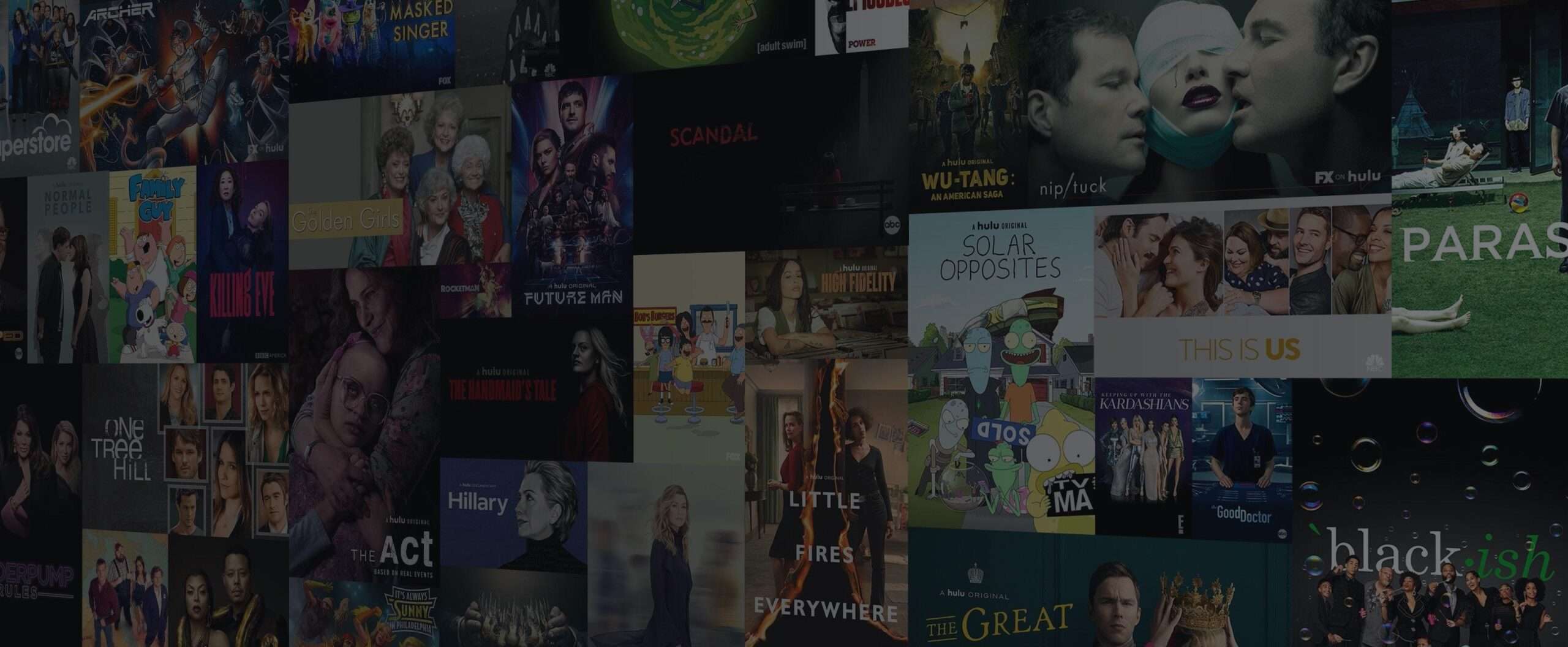
Understanding IPTV and Its Benefits
IPTV technology allows users to stream television content over the internet, offering a modern alternative to traditional broadcasting methods. This shift is particularly significant in Canada, where consumers are increasingly seeking flexible and customizable television viewing experiences.
What is IPTV and How Does It Work?
IPTV, or Internet Protocol Television, delivers television content through a broadband internet connection rather than through traditional satellite or cable formats. This method allows for greater flexibility and personalization in viewing habits. IPTV services can be accessed on a variety of devices, including smart TVs, computers, and mobile devices, making it a versatile option for modern viewers.
Advantages of IPTV Over Traditional Cable
One of the primary advantages of IPTV is its ability to offer on-demand content, allowing viewers to watch programs at their convenience rather than adhering to a broadcast schedule. Additionally, IPTV services often include features such as pause, rewind, and fast-forward, enhancing the viewing experience. IPTV also tends to be more cost-effective and can be more easily customized to individual preferences.
The Current IPTV Landscape in Canada
The IPTV market in Canada is growing rapidly, with numerous providers offering a range of services and packages. Canadian consumers have access to both local and international IPTV services, providing a wide array of content options. The popularity of IPTV in Canada is driven by its flexibility, the quality of streaming, and the increasing availability of high-speed internet across the country.
As Canadians continue to embrace streaming services, understanding the benefits and capabilities of IPTV is crucial for making informed decisions about television viewing options.
Legal Considerations for IPTV in Canada
As IPTV continues to grow in popularity in Canada, understanding its legal framework becomes increasingly important. The Canadian government has established specific regulations governing IPTV services.
Canadian Broadcasting Regulations
Canadian broadcasting regulations dictate how IPTV services operate within the country. These regulations are enforced by the Canadian Radio-television and Telecommunications Commission (CRTC).
Licensed vs. Unlicensed IPTV Services
It's essential to distinguish between licensed and unlicensed IPTV services. Licensed services comply with Canadian broadcasting regulations, while unlicensed services may infringe on copyright laws.
Copyright Implications and Recent Canadian Rulings
Recent Canadian court rulings have addressed copyright infringement related to IPTV services. Understanding these implications is crucial for consumers to avoid potential legal issues.
| IPTV Service Type | Compliance with Regulations | Copyright Risk |
|---|---|---|
| Licensed IPTV | Yes | Low |
| Unlicensed IPTV | No | High |
By understanding these legal considerations, Canadian consumers can make informed decisions when selecting an IPTV service, ensuring compliance with Canadian laws and regulations.
How to Get IPTV on My TV: Methods Overview
Getting IPTV on your TV in Canada has never been easier, with multiple methods available to suit different user preferences. Whether you have a Smart TV or a traditional TV, there are various options to stream your favorite IPTV channels.
Direct Smart TV Installation
Many modern Smart TVs come with built-in IPTV capabilities. You can directly install IPTV apps on your TV without needing any external devices. Check your TV's app store for IPTV applications compatible with your service provider.
Using External Streaming Devices
External streaming devices like Apple TV, Roku, and Amazon Fire TV can be used to stream IPTV on your TV. These devices are easy to set up and offer a wide range of IPTV apps. Simply connect the device to your TV, download the IPTV app, and start streaming.
IPTV Set-Top Boxes
IPTV set-top boxes are dedicated devices designed specifically for IPTV streaming. They often come with pre-configured settings and are easy to use. These boxes can turn any TV into a Smart TV, making them a great option for those without Smart TVs.
Mobile Device Casting Options
If you have a mobile device with an IPTV app, you can cast the content to your TV using technologies like Chromecast or AirPlay. This method is convenient for those who prefer watching content on a larger screen.
As "The future of television is not just about watching TV, it's about how you watch it." With these methods, you can enjoy a flexible and enhanced viewing experience. Choose the method that best suits your needs and start enjoying your IPTV services.
Essential Hardware Requirements for IPTV
Having the correct hardware is essential for a seamless IPTV experience. To enjoy IPTV on your TV in Canada, you'll need to choose the right equipment. The type of hardware you require depends on your specific needs and preferences.
Smart TVs with Built-in IPTV Capabilities
Many modern Smart TVs come with built-in IPTV capabilities, allowing you to access various IPTV services directly through your TV. Brands like Samsung, LG, and Sony offer Smart TVs that support IPTV applications.
External Streaming Devices
If your TV isn't a Smart TV or lacks IPTV support, you can use external streaming devices like Apple TV, Roku, or Amazon Fire TV. These devices provide access to IPTV services through their respective app stores.
Android TV Boxes and IPTV-Specific Devices
Android TV boxes offer another option for IPTV streaming. These devices run on the Android operating system, allowing you to install IPTV apps. There are also IPTV-specific devices designed solely for IPTV streaming.
Minimum Internet Speed Requirements
A stable internet connection is crucial for IPTV. The minimum internet speed required for smooth IPTV streaming varies depending on the quality of the stream. Generally, a speed of at least 5 Mbps is recommended for SD streams, while HD streams require 10 Mbps or more.
| Stream Quality | Minimum Internet Speed |
|---|---|
| SD (Standard Definition) | 5 Mbps |
| HD (High Definition) | 10 Mbps |
| Full HD | 15 Mbps |
| 4K | 25 Mbps |
By choosing the right hardware and ensuring a sufficient internet speed, you can enjoy a high-quality IPTV experience in Canada.
Popular IPTV Service Providers in Canada
Canadian consumers have a wide range of IPTV services to choose from, each with its unique features. The IPTV market in Canada is characterized by a mix of local and international providers, catering to diverse viewer preferences and language requirements.
Canadian-Based Legal IPTV Services
OBO TV is a leading choice for Canadians, delivering 70,000+ live channels and a 30,000-title on-demand library in HD and 4K from $10/month with no contract. It works on Smart TVs, Firestick, Android, and MAG boxes, and carries both English and French Canadian channels. Browse the full channels list.
International IPTV Providers Available to Canadians
In addition to local services, many international IPTV providers offer their services in Canada. These providers may offer a broader range of channels and content, including sports and entertainment packages. However, it's crucial for consumers to ensure that the service they choose complies with Canadian copyright laws.
Subscription Models and Pricing Comparison
IPTV service providers in Canada offer various subscription models, including monthly and annual plans. Pricing can vary significantly depending on the provider, the number of channels, and additional features. A comparison of pricing and features is essential for choosing the best service.
- OBO TV plans start at $10/month for the full 70,000+ channel lineup
- Premium packages with additional sports and entertainment channels
- Optional add-ons for specific content, like international channels
French and English Content Availability
Many IPTV services in Canada offer both French and English content, catering to the country's bilingual audience. Some providers specialize in content for specific linguistic communities, while others offer a broad range of channels in both languages.
When selecting an IPTV service, Canadians should consider their viewing preferences, including the availability of French and English content, to ensure they choose a service that meets their needs.
Setting Up IPTV on Different Smart TV Brands
The process of setting up IPTV varies across different Smart TV brands. Canadian viewers can enjoy a wide range of IPTV services on their Smart TVs, but the configuration steps may differ depending on the TV brand.
Samsung Smart TV Configuration Steps
To set up IPTV on a Samsung Smart TV, start by pressing the "Smart Hub" button on your remote. Navigate to "Apps" and search for the IPTV app you wish to install. Once installed, launch the app, and follow the on-screen instructions to configure your IPTV service. Ensure your TV is connected to the internet for a seamless setup process.
LG WebOS TV IPTV Installation
For LG WebOS TVs, access the LG Content Store from the home screen. Search for the IPTV app, download, and install it. After installation, open the app, and configure your IPTV settings. LG WebOS TVs are known for their user-friendly interface, making the IPTV setup relatively straightforward.
Sony Android TV IPTV Setup
Sony Android TVs allow users to install IPTV apps from the Google Play Store. Navigate to the Play Store, search for your preferred IPTV app, and install it. After installation, launch the app and follow the setup instructions. Sony Android TVs offer a robust IPTV experience with their high-performance processors.
Other Smart TV Brands Available in Canada
Other Smart TV brands available in Canada, such as Vizio and Hisense, also support IPTV services. The setup process may vary, but generally, it involves accessing the TV's app store, downloading an IPTV app, and configuring the service. It's essential to check the compatibility of your TV brand with the IPTV service provider.
By following these steps, Canadians can enjoy their preferred IPTV services on various Smart TV brands, enhancing their viewing experience.
Using External Devices for IPTV Streaming
External devices offer a flexible solution for IPTV streaming, catering to diverse Canadian viewer preferences. By utilizing devices such as Apple TV, Amazon Fire TV, Roku, and Android TV boxes, users can enhance their viewing experience.
Apple TV Setup for IPTV Services
To set up IPTV on Apple TV, start by downloading a compatible IPTV app from the App Store. Navigate to the app, enter your subscription details, and configure the settings as required. Ensure your Apple TV is connected to a stable internet connection for smooth streaming.
Amazon Fire TV and Fire Stick Configuration
For Amazon Fire TV and Fire Stick, download the IPTV app from the Amazon Appstore. Install the app, launch it, and enter your login credentials. Adjust the buffering settings if you experience any streaming issues.
Roku IPTV Installation Guide
Roku devices support IPTV streaming through various channels available on the Roku Channel Store. Search for your IPTV service provider's channel, install it, and sign in to start streaming. Roku's intuitive interface makes it easy to navigate between channels.
Android TV Box Setup Process
Android TV boxes offer a customizable IPTV experience. Download an IPTV app from the Google Play Store, configure it with your subscription details, and enjoy your favorite channels. Android TV boxes provide flexibility with various app choices.
| Device | Setup Complexity | Streaming Quality |
|---|---|---|
| Apple TV | Moderate | High |
| Amazon Fire TV | Easy | High |
| Roku | Easy | High |
| Android TV Box | Moderate | Variable |
By choosing the right external device, Canadians can enjoy a tailored IPTV streaming experience that meets their specific needs.
IPTV Apps and Software Solutions
For Canadians looking to optimize their IPTV experience, several apps and software solutions are available. These tools are designed to enhance the functionality and user experience of IPTV services.
Recommended IPTV Applications for Canadian Users
Several IPTV applications are popular among Canadian users due to their reliability and feature-rich offerings. IPTV Smarters and TiviMate are notable examples, and both pair seamlessly with an OBO TV subscription for intuitive, robust channel management.
M3U Playlist Configuration
Configuring an M3U playlist is a straightforward process that involves obtaining a valid M3U URL from your IPTV provider and inputting it into your chosen IPTV app. Ensure your playlist is updated regularly to maintain access to the latest channel listings.
EPG (Electronic Program Guide) Setup
An EPG provides a user-friendly interface for navigating TV listings. To set up an EPG, you'll need to configure your IPTV app with an EPG URL provided by your service provider. This step enhances your viewing experience by offering detailed program information.
Canadian Channel Organization Tips
Organizing your IPTV channels effectively can significantly improve your viewing experience. Consider grouping channels by category (e.g., sports, news, entertainment) and utilizing favorites lists for quick access to your most-watched channels.
| Feature | IPTV Smarters | TiviMate |
|---|---|---|
| User Interface | Intuitive and customizable | Simple and user-friendly |
| Channel Management | Robust, with support for M3U playlists | Supports M3U and Xtream Codes |
| EPG Support | Yes, with customizable EPG settings | Yes, with detailed program guides |
Troubleshooting Common IPTV Issues
Troubleshooting IPTV problems is essential for a seamless viewing experience. IPTV users in Canada may encounter various issues, including buffering, connection errors, and playback problems.
Buffering and Streaming Quality Problems
Buffering is often caused by insufficient internet speed. Ensure your connection meets the minimum requirements for IPTV streaming, typically at least 25 Mbps for HD content.
Tips to improve streaming quality:
- Check your internet plan and consider upgrading if necessary.
- Use a wired Ethernet connection instead of Wi-Fi.
- Restart your router to resolve connectivity issues.
Connection and Authentication Errors
Connection errors can occur due to incorrect login credentials or server issues. Verify your username and password, and check the service provider's status for any outages.
Channel Loading and Playback Issues
If channels are not loading or playback is stuttering, try clearing the cache on your IPTV app or restarting your device.
Updating and Maintaining Your IPTV Setup
Regularly update your IPTV app and device firmware to ensure you have the latest features and bug fixes.
| Issue | Possible Cause | Solution |
|---|---|---|
| Buffering | Insufficient internet speed | Upgrade internet plan or use Ethernet |
| Connection Errors | Incorrect login credentials | Verify username and password |
| Channel Loading Issues | App or device issues | Clear cache or restart device |
Conclusion
Getting IPTV on your TV in Canada involves several straightforward steps, from understanding the legal landscape to choosing the right hardware and service providers. As an IPTV conclusion, it's clear that Canadians have a variety of options to access high-quality, flexible television services.
A Canada IPTV summary highlights the importance of selecting licensed IPTV services that comply with Canadian broadcasting regulations. This ensures a safe and reliable viewing experience. Key considerations include the type of hardware required, such as smart TVs or external streaming devices, and the minimum internet speed needed for smooth streaming.
Popular IPTV service providers in Canada offer a range of subscription models and content availability, including French and English channels. By setting up IPTV on your preferred device, you can enjoy a personalized viewing experience with access to a wide range of channels and on-demand content.
In summary, IPTV offers Canadians a flexible and feature-rich alternative to traditional cable television.
Ready to get IPTV on your TV today? OBO TV gives you 70,000+ channels in 4K from $10/month, set up in about five minutes on any device. See pricing plans, the channels list, or get help via contact.
FAQ
What is IPTV and how does it differ from traditional TV services?
IPTV, or Internet Protocol Television, is a service that delivers television content over the internet, rather than through traditional satellite or cable formats. This allows for more flexibility and customization in viewing options.
Is IPTV legal in Canada?
IPTV itself is legal, but the legality depends on the service provider. Licensed IPTV services that comply with Canadian broadcasting regulations are legal, while unlicensed services may infringe on copyright laws.
What are the minimum internet speed requirements for IPTV in Canada?
For standard definition (SD) IPTV streaming, a minimum internet speed of 5 Mbps is recommended. For high definition (HD), it's 10 Mbps, and for 4K, it's 25 Mbps.
Can I get IPTV on my Samsung Smart TV?
Yes, many Samsung Smart TVs support IPTV. You can download IPTV apps or configure IPTV services directly on your TV, following the manufacturer's setup instructions.
How do I troubleshoot buffering issues with my IPTV service?
Buffering can be caused by slow internet speeds or network congestion. Check your internet speed, restart your router, or contact your ISP to resolve the issue.
Are there IPTV services that offer French content?
Yes, several IPTV services offer French content, catering to Canada's bilingual audience. Look for services that specifically mention French channel availability.
Can I use external devices like Roku or Apple TV for IPTV?
Yes, external devices like Roku, Apple TV, and Android TV boxes can be used for IPTV streaming. You'll need to install IPTV apps or configure IPTV services on these devices.
How do I set up an M3U playlist for IPTV?
To set up an M3U playlist, you'll need to obtain the M3U file from your IPTV provider, then configure it in your IPTV app or device, following the provider's instructions.
What is EPG, and how do I set it up for IPTV?
EPG, or Electronic Program Guide, provides a schedule of TV programs. To set it up, you'll typically need to configure it within your IPTV app or device, using the provider's EPG data.
Can I cast IPTV from my mobile device to my TV?
Yes, many IPTV apps support casting to TV. You can use technologies like Chromecast, AirPlay, or DLNA to stream IPTV content from your mobile device to your TV.
